
Why “paywalled by JavaScript” breaks AI indexing
Many sites aren’t truly paywalled at the server layer. Instead, they ship a mostly empty HTML shell and use JavaScript to fetch and render the article after client-side checks (cookies, local storage, paywall SDKs, feature flags). Humans see the full text because their browser executes the code. But many LLM crawlers and AI visibility pipelines don’t run a full browser, don’t authenticate, or don’t wait long enough for asynchronous rendering. The result is an AI index blind spot: your page “exists,” but the content that should be understood and cited never appears in the crawler’s view.
This is especially common on sites built with single-page app patterns, headless CMS frontends, paywall vendors that inject gating via scripts, or frameworks configured for client-only rendering. The fix starts with an audit that compares what a crawler can actually read versus what you see in a browser.
Audit step 1: compare Source HTML to the Rendered DOM
You need to distinguish two representations of a page:
- Source HTML: the raw HTML returned by the server (what a basic crawler fetches).
- Rendered DOM: the final document after JavaScript runs, data loads, and the UI paints.
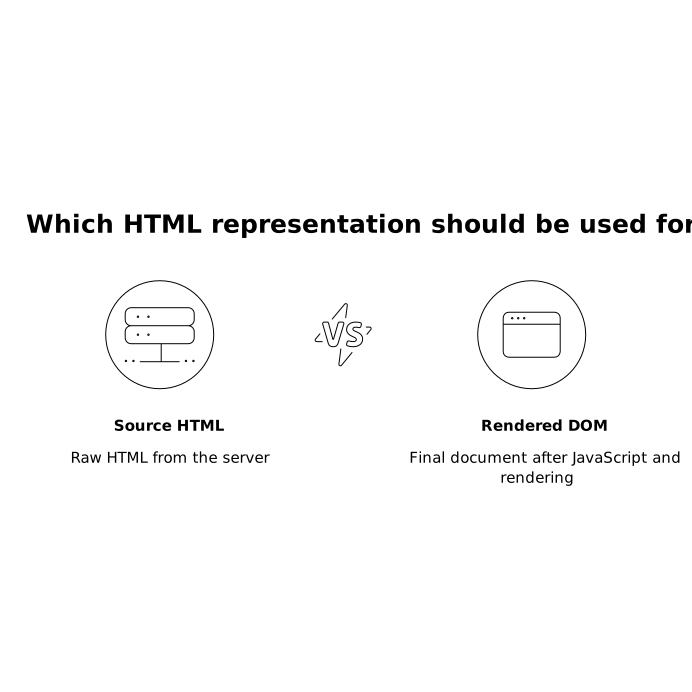
If the Source HTML contains only navigation, placeholders, and a bundle script, but the Rendered DOM contains the article, then a non-JS crawler will miss the core content. To confirm:
- Open DevTools → Elements and compare it to “View Page Source.”
- Disable JavaScript in the browser and reload. If the article disappears, your content is effectively JS-gated.
- Inspect network calls to see if the full article text is fetched via JSON only after client checks.
This gap is the most reliable early warning sign that LLM crawlers will index a thin version of the page, even if traditional web analytics show normal human engagement.
Audit step 2: test with crawler-like fetches
Once you’ve identified a Source vs DOM gap, validate how “crawler-like” requests behave:
- Simple HTTP fetch (no JS): confirm what HTML is returned without executing scripts.
- Different user agents: some systems serve alternate templates. Ensure the “bot” path isn’t accidentally thin.
- No cookies / no local storage: many JS paywalls rely on these. If the first request is empty and only becomes readable after client storage is set, crawlers will likely stay empty.
Also watch for subtle failures: the HTML might include the content, but only in an attribute, escaped blob, or JSON script that isn’t easily extractable. LLM pipelines vary, and “technically present” isn’t the same as “cleanly readable.”
Common patterns that create AI index blind spots
Client-only rendering for the main body
Framework defaults or misconfiguration can push the article body entirely into client-side hydration. For AI discoverability, it’s safer when the server returns the primary text in the initial HTML and JavaScript enhances it.
Paywall overlays that hide text after render
Sometimes the full text is rendered, then blurred or hidden by an overlay. Humans can still see snippets and UI cues, but crawlers may extract the blocked version or the pre-overlay version inconsistently. Either way, it leads to unstable citation behavior.
Content delivered via authenticated API calls
If the article text comes from an endpoint that requires a browser session, signed headers, or client tokens, most crawlers won’t fetch it. Even “soft paywalls” can behave like hard paywalls in bot contexts.
Fix options that preserve paywall intent while improving crawlability
The goal is not to give away restricted content. The goal is to ensure that whatever you intend to be indexable by AI systems is actually present in a crawler-readable form. Common approaches:
1) Server-side render what you want indexed
If you support SSR (or static generation) for article pages, ensure the initial HTML includes:
- Title and meaningful intro
- Primary body text (full or excerpt, depending on policy)
- Clear section headings for extraction
- Canonical URL and consistent metadata
This is the most robust fix for “paywalled by JavaScript” issues because it closes the Source vs DOM gap at the root.
2) Provide a clean excerpt path for bots and previews
If your business model requires gating most of the content, serve a consistent excerpt in the Source HTML (not assembled solely by JS). Make the excerpt substantial enough to be understood and correctly summarized, and keep it stable across requests. An unstable excerpt can lead to erratic AI answers.
3) Use structured data that matches the visible HTML
Structured data can help machines understand the page, but it should not contradict what’s readable in the HTML. If you embed full article text in JSON-LD while hiding it in HTML, systems may treat it as inconsistent or ignore it. Align your structured data with your indexing policy.
4) Avoid “empty shell” HTML on core pages
Even if you keep SPA behavior for logged-in experiences, it’s usually worth returning meaningful HTML for public-facing landing pages and article routes. Empty shells are a frequent reason AI systems fail to attribute, quote, or recommend a page.
How to confirm the fix worked
Re-run the same checks after changes:
- Does “View Page Source” now include the excerpt or body you expect?
- Does disabling JavaScript still leave a readable core?
- Do fetches without cookies still return consistent text?
Then move from page-level validation to site-level monitoring. This is where an AI visibility agent can help: lunem connects directly to your site and continuously monitors how content is interpreted and surfaced across LLM-driven environments, helping you catch regressions when templates, paywall scripts, or framework settings change.
Operationalizing audits so issues don’t come back
Teams often fix one template, then a redesign quietly reintroduces client-only rendering. Treat AI indexability like a regression-tested requirement:
- Template checks: every article template should have a minimum “source-visible” text threshold.
- Release gates: test representative URLs in CI by fetching raw HTML and asserting key selectors contain text.
- Monitoring: track when the Source HTML shrinks or when DOM-only content increases.
If you’re already collecting evaluation artifacts for AI performance, consider maintaining a lightweight failure catalog. A practical adjacent workflow is described in this 30-minute method for turning LLM evaluation logs into a failure-mode taxonomy, which pairs well with ongoing crawlability checks.
Finally, if you’re aiming for higher-quality AI answers that quote and attribute reliably, your content needs to be both accessible and cleanly extractable. The mechanics of attribution are covered in multimodal citation hygiene for AI answers and brand mentions, and the same principle applies here: if crawlers can’t see it, they can’t cite it.


